Secure, organize, and send your customer emails directly within Outlook
Connect Microsoft Outlook to Convoflo to instantly manage all your external communications. Whether you are receiving confidential attachments or transmitting sensitive deliverables, our official add-in centralizes your inbound and outbound flows within a dedicated, secure space—without ever disrupting your workflow.

Move from non-compliant attachment sending to ultra-secure delivery
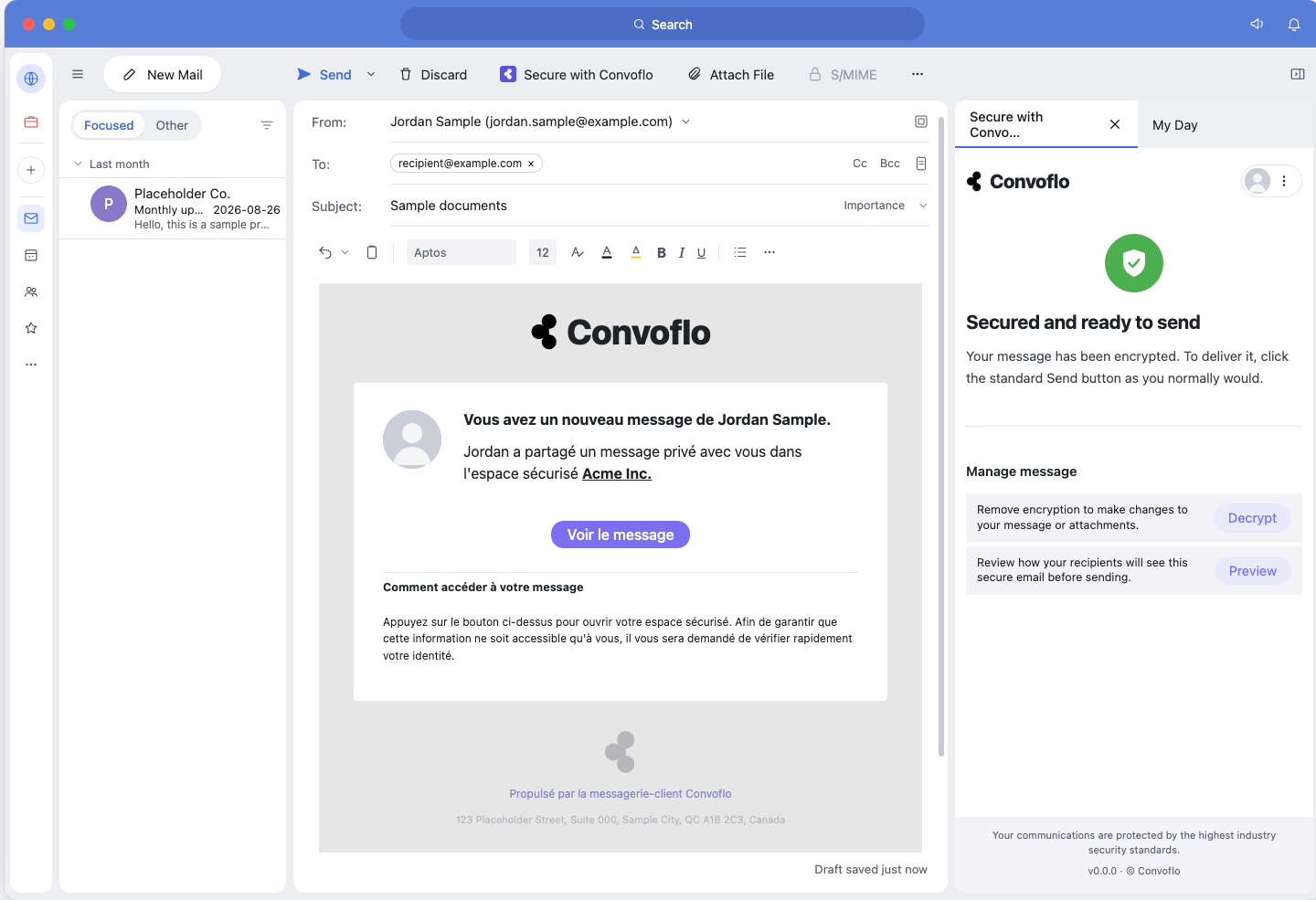
Outgoing emails: replace vulnerable attachment sending with direct access links to your client's secure space while writing your messages. Insert file requests or trigger e-signature requests without leaving Outlook.
Secure message and file transfer
Replace traditional email attachments with direct access links to your client’s secure portal—directly from your Outlook compose window.
File requests and integrated signatures
Insert document collection forms or trigger an electronic signature request without opening a third-party application.
Email notification with no sensitive data
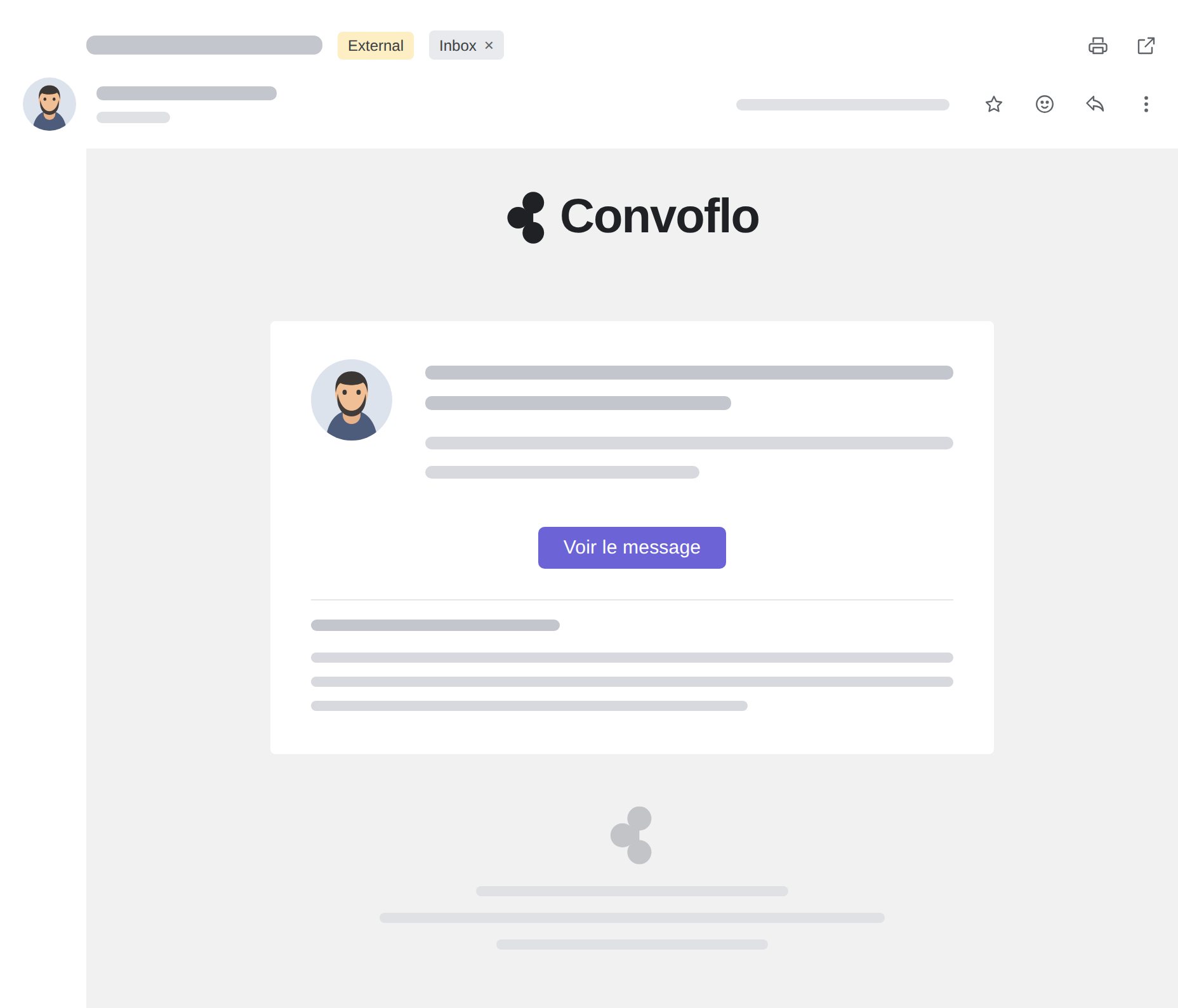
Your clients receive a clear and elegant email alert inviting them to review their messages and sign their agreements within a sovereign and secure portal. Get work done... with a smile.
Convert incoming emails into secure spaces without leaving Outlook
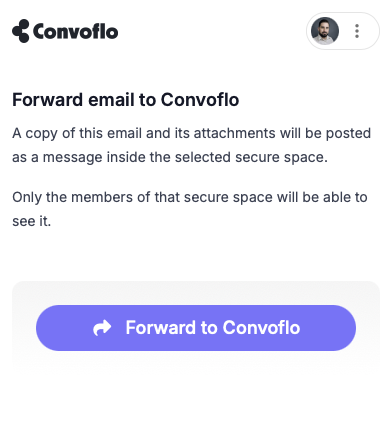
Incoming emails: Convert a client message or an entire discussion thread into a new secure space, or link it to an existing folder with a single click. Attachments and conversations are automatically redirected to your internal folder structure (SharePoint), eliminating manual searches and inbox clutter.

Instant conversion into a secure space
Transform an incoming email or its entire discussion thread into a new secure space dedicated to the client, or associate it with an existing folder.
Archiving attachments
Transfer large or sensitive attachments out of your inbox and drop them directly into the correct client directory.
Seamless synchronization with SharePoint
Automatically find documents categorized in your internal SharePoint directory while maintaining full traceability, 100% compliant with Law 25 (Quebec), PIPEDA (Canada), and SOC 2 Type II certified (United States/North America).
Automatically sync incoming emails into Convoflo
Outlook sync allows you to connect an external inbox to Convoflo so that incoming client emails—and their attachments—are automatically sorted into the right secure space.
Instead of managing part of your exchanges in Outlook and another in Convoflo, you consolidate communications into a single, clearer, and better-structured environment. This reduces manual tasks, limits the risk of error, and simplifies case tracking.
The result: your teams spend less time moving information from one tool to another, and your client exchanges remain centralized in Convoflo.
Why is this feature important?
Reduce the number of communication channels
Rather than managing exchanges in both Outlook and Convoflo, you automatically centralize client emails into a single, more structured environment.
Avoid manual transfers
Emails and their attachments are filed automatically, reducing repetitive steps and the time spent moving information around.
Improves folder centralization
Incoming messages are linked to the correct secure space, helping maintain a more complete and consistent communication history.
Reduces the risk of errors or omissions
By automating the categorization of incoming communications, you reduce the risk of an important email or attachment remaining in an inbox instead of being processed in the right place.
Supports more structured collaboration
By grouping emails, attachments, and secure exchanges within Convoflo, you create a clearer path for managing and tracking client files.
A shared benefit for your client, your team, and your organization
For your client
A seamless, friction-free exchange experience right from their usual inbox. Your client receives notifications, deposits confidential supporting documents, and approves files within a secure space accessible in one click—without needing to remember a complex password or navigate a rigid portal.
For your internal teams
The complete elimination of manual file handling and exhausting back-and-forth emails in Outlook. Your professionals and assistant(s) classify incoming emails, extract large attachments, and send document or e-signature requests directly from the add-in, with automatic synchronization in SharePoint.
For your organization
Centralized document governance and the total elimination of Shadow IT and vulnerable email attachments. Protect your firm against data leaks with end-to-end encryption and ensure sovereign, traceable archiving in Canada—100% compliant with Law 25 (Quebec), PIPEDA (Canada), and certified SOC 2 Type II (US / North America). Get things done... with a smile.